HOW IT WORKS
From finding customers
to keeping them.
See how lead generation, customer records, scheduling, follow-up, and AI work together to keep your business organized and your customers connected.
Follow the process01 / Find prospects
New opportunities, delivered to your CRM.
We work with you to understand your ideal customers and set up your lead generation around those criteria.
The system then finds matching businesses and adds available contact details directly to Sherpa, ready for you to reach out and follow up.
CONFIGURED BY YOUR SHERPA TEAM
Set up around your business.
PROSPECTS THAT FIT YOUR CRITERIA
Sherpa finds relevant businesses and adds their available contact details to your CRM.
Example prospects
YOUR SHERPA CRM
New prospects,
ready to contact.
02 / Bring it together
Give every lead a home.
Matching prospects arrive automatically in your CRM through your configured lead-generation connection. Connected website forms can bring incoming inquiries into the same system.
As you get to know a prospect, their contact record keeps business details, conversation notes, and the next step together. Open it and pick up where you left off.
ONE CUSTOMER. THE WHOLE CONVERSATION.
Oak & Main
Property management
- Company
- Oak & Main Property Management
- Address
- 123 Example Lane
Tyler, TX 75701 - Contact
- Jordan Taylor · Property Manager
- jordan@example.com
- Phone
- (903) 555-0142
Discussed their business needs and ongoing support for two locations. Interested, but needs time to review. Follow up next week.
YOUR NEXT STEP
Keep the conversation moving.
Sherpa schedules the follow-up automatically. AI can help draft a personalized message using your conversation notes.
03 / Track progress
See where things stand.
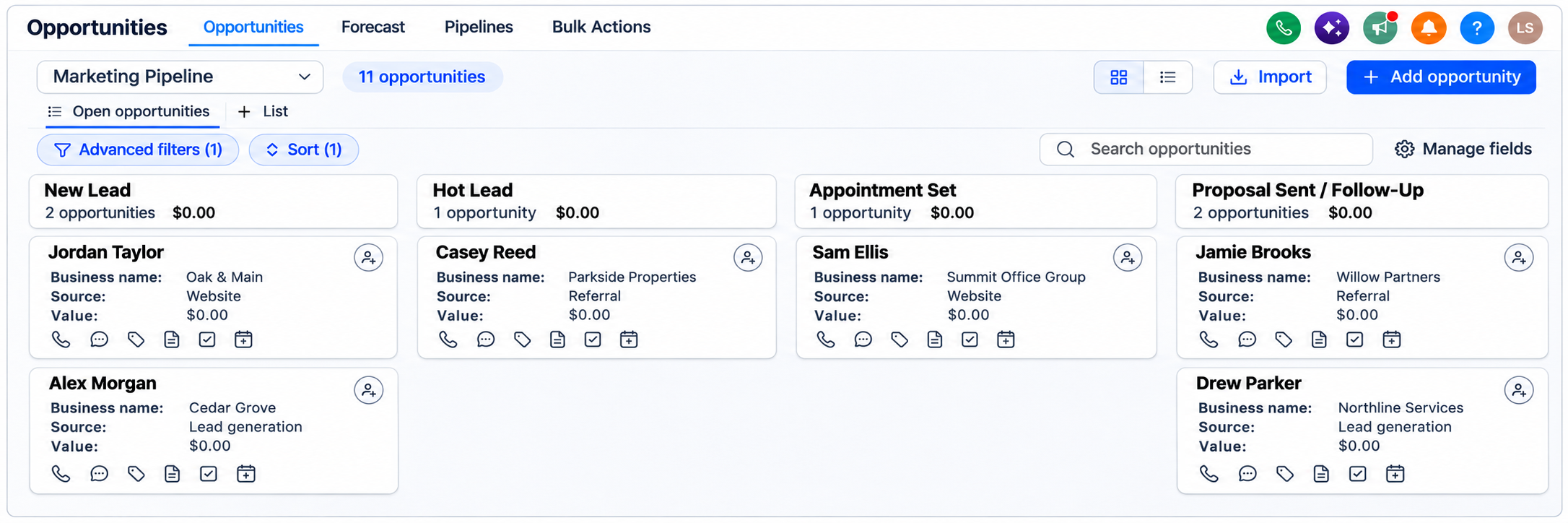
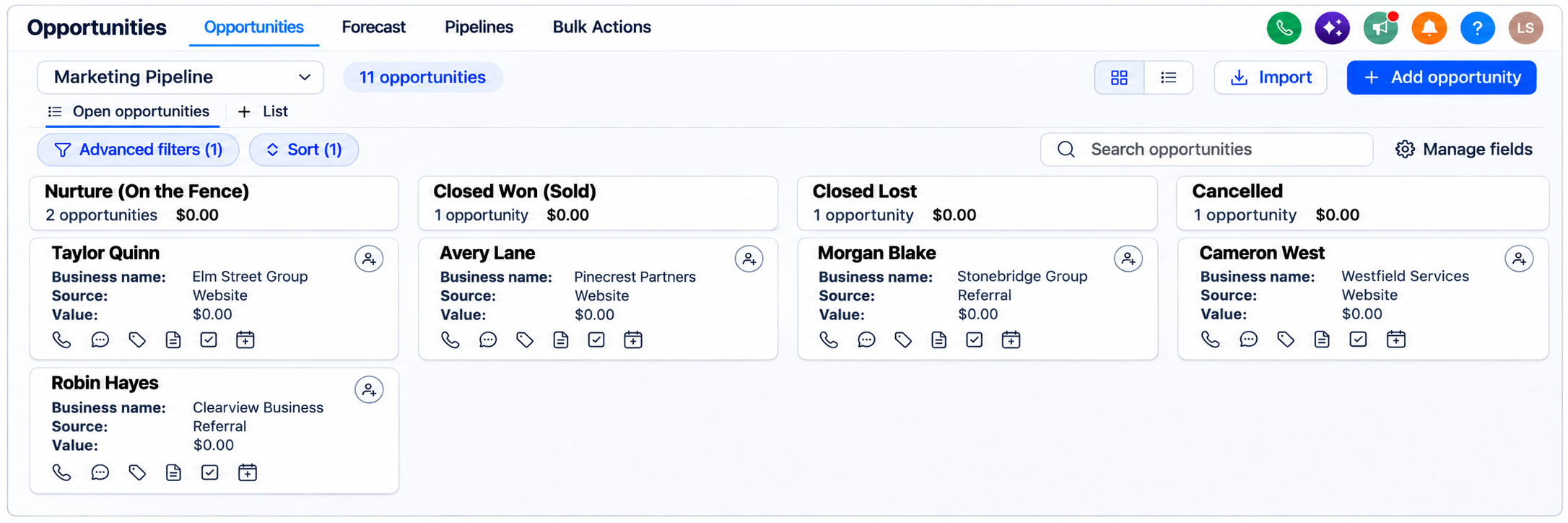
Once a conversation is underway, track the opportunity as you discuss their needs, send a proposal, and get approval. Your stages can match the way your business operates.
The record keeps the context. You can see the latest notes, who owns the next step, and which opportunities still need attention.
Conversations in progress
Follow-up and outcomes
04 / Keep it moving
You change the stage. Sherpa handles the next steps.
When you move a contact to a new stage, Sherpa automatically runs the actions set up for that stage, like sending a message, scheduling a reminder, or starting a follow-up sequence.
You don’t have to remember to send every message. We configure the timing, messages, and rules with you. AI can handle common questions using your business information and pass requests that need personal attention to your team.
FROM STAGE CHANGE TO AUTOMATIC ACTION
You update the contact’s stage
Move the contact to the stage that reflects where the conversation stands.
Sherpa starts the assigned automation
The stage change triggers the workflow we’ve configured with you.
The right message or follow-up goes out automatically
Sherpa handles the actions and timing set for that stage. No manual send needed.
Configured AI can answer common questions and assist with scheduling, handing over to your team when a request needs a person.
05 / Stay connected
Keep going after the booking.
Mark the job complete, and your configured follow-up sequence takes over. Sherpa can automatically check in with the customer and send a review request, without you composing and sending each message.
For customers who want to hear from you, Sherpa can also send a future service reminder at the interval we set together. The routine follow-up runs in the background, while you focus on the work and conversations that need you.
FROM COMPLETED WORK TO REPEAT BUSINESS
You mark the job complete
The updated status starts your follow-up sequence.
Sherpa checks in and requests a review
Automated messages ask how things went and invite the customer to leave a review.
Sherpa stays in touch
Relevant reminders and follow-ups help keep the relationship going.
LET’S MAKE IT SIMPLE
Seems like a lot?
That’s where we come in.
You don’t need to know which tools to choose or how to connect them. Tell us how your business works and what’s taking up your time. We’ll explain your options in plain language, agree on what to set up, and walk you through how to use it.
Book a Demo